Windows Internals: Covering Windows Server 2008 and Windows Vista, 5th Edition
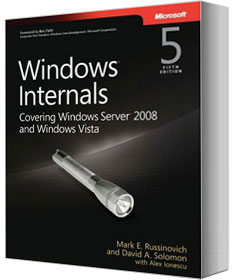
Windows Internals, 5th edition is the update toWindows Internals, 4th edition to cover Windows Vista and Windows Server 2008 (32-bit and 64-bit). It was written by Mark Russinovich, a Technical Fellow in Microsoft’s Windows Core Operating System Division, David Solomon, an operating systems expert and Windows internals teacher, and with contributions from Alex Ionescu, who specializes in OS internals and security.
This edition has 25% more content than the previous edition and includes coverage of features new to Windows Vista and Windows Server 2008 like PatchGuard, Hyper-V support, Kernel Transaction Manager, I/O priorities, SuperFetch, ReadyBoot, ReadyBoost, BitLocker, UAC, Windows Integrity Mechanism, and Service Security Hardening, and more. It’s also updated with new experiments and new examples that highlight the use of Sysinternals tools like Process Explorer and Process Monitor.
Sample Chapter
Download the full Chapter 5: Processes, Threads and Jobs to get a look at the deep technical information presented in Windows Internals.
Ordering the Book
The book is available for purchase on Amazon.com and available from O’Reilly in 4 ebook formats, from the iTunes store for an iPhone or iPod Touch, or you can read it online through Safari.
Description of the Book
Get the architectural perspectives and inside details you need to understand how Windows operates
See how the core components of the Windows operating system work behind the scenes—guided by a team of internationally renowned internals experts. Fully updated for Windows Server® 2008 and Windows Vista®, this classic guide delivers key architectural insights on system design, debugging, performance, and support—along with hands-on experiments to experience Windows internal behavior firsthand.
Delve inside Windows architecture and internals:
- Understand how the core system and management mechanisms work—from the object manager to services to the registry
- Explore internal system data structures using tools like the kernel debugger
- Grasp the scheduler’s priority and CPU placement algorithms
- Go inside the Windows security model to see how it authorizes access to data
- Understand how Windows manages physical and virtual memory
- Tour the Windows networking stack from top to bottom—including APIs, protocol drivers, and network adapter drivers
- Troubleshoot file-system access problems and system boot problems
- Learn how to analyze crashes
Table of Contents
- Introduction
- Architecture
- System Mechanisms
- Management Mechanisms
- Processes, Threads and Jobs
- Security
- I/O System
- Storage Management
- Memory Management
- Cache Manager
- File Systems
- Networking
- Startup and Shutdown
- Crash Dump Analysis